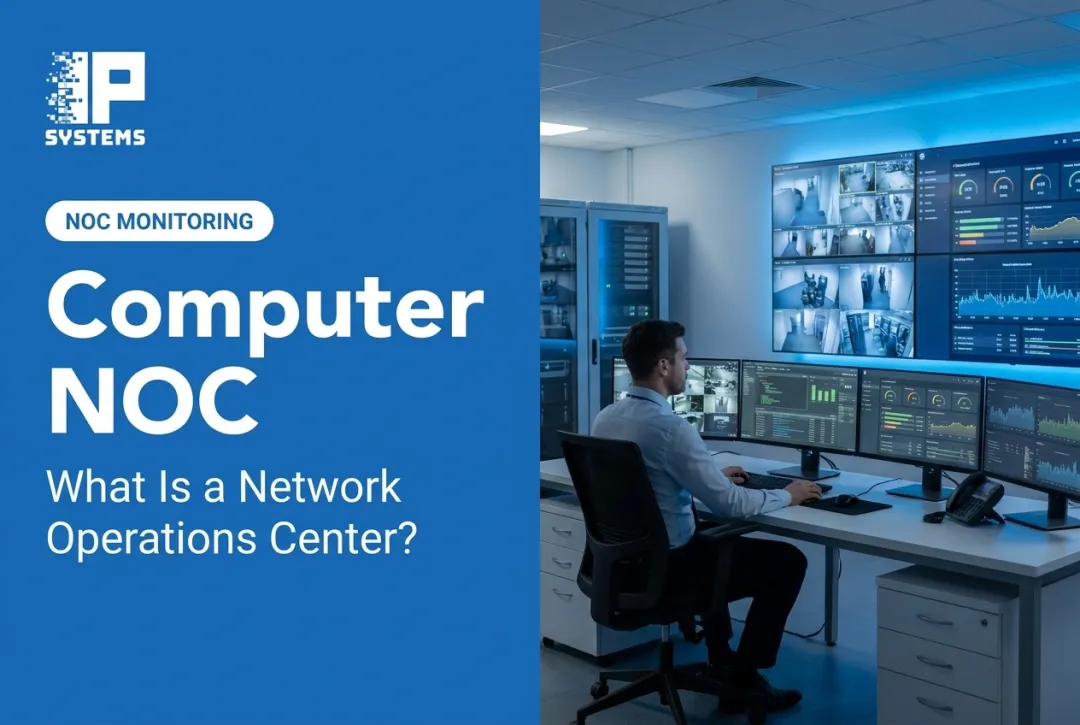
24/7 NOC monitoring is meant to close that gap. A Network Operations Center keeps watch on the health of cameras, NVRs, access control panels, fire and communication systems, and the network that connects them. When something fails after hours, the NOC sees it, sorts it by severity, and starts the fix, or at least the paperwork for the fix, before your staff walks in.
This article covers what a security-system NOC actually watches, how escalation works, where buyers get tripped up, and what to ask a provider before you sign.
Key Takeaways
- 24/7 NOC monitoring is a mix of monitoring tools, trained people, written procedures, alert triage and reporting.
- A security-system NOC watches device health and availability. It is not live video guarding, alarm response or police dispatch.
- Pick a monitoring model based on risk, site count, system mix and how much after-hours coverage your own staff can really carry.
- Device-health alerts only help if someone owns the fix. Detection and repair are two different commitments.
What Is 24/7 NOC Monitoring?
A Network Operations Center (NOC) is a centralized function that monitors, manages and supports connected infrastructure, including on nights, weekends and holidays when internal staff usually aren't watching.
IBM defines a NOC as a centralized location where networks are monitored and managed 24x7, with network uptime and fast problem identification as the core goals.
"24/7" describes when the system is watched, not how fast every problem gets fixed. Resolution time still depends on:
- Alert severity and the thresholds you set
- Who is available to act when the alert arrives
- Your written escalation path
- What your service agreement actually says about remote and onsite response
In our experience, this is the first misunderstanding to clear up. A buyer hears "24/7" and assumes a technician will be at the door at 3 a.m. Read the agreement. Continuous detection and after-hours field service are priced and scheduled differently.
How a Security NOC Differs From an IT NOC
A traditional IT NOC watches servers, routers and network traffic. A security-focused NOC extends that to physical security equipment:
- Cameras, encoders and recorders
- Access control panels and readers
- Fire and communication system connectivity
- Controllers, storage and the switches and IDF closets that tie them together
A NOC is also different from three functions people often mix up with it:
- Security Operations Center (SOC): IBM describes a SOC as focused on information security, threat analysis and monitoring for attacks, while a NOC focuses on uptime.
- Alarm monitoring center: The TMA AVS-01 standard defines an alarm monitoring center as a facility that receives alarm signals and where personnel are in attendance at all times to act on them. That is a different job from watching device health.
- Help desk: IBM notes that help desks mainly deal with end users, while NOCs work with service providers and internal IT teams.
For organizations with several sites or regulatory obligations, periodic inspections and business-hours checks leave long blind spots. A disconnected reader or a failed camera at a remote building can sit unnoticed for days without continuous oversight. The usual way it gets found is the worst way: someone pulls video after an incident and the camera wasn't recording. In Mastering Modern Security, IPS's Rob Jackson describes being asked to testify about exactly this: IPS had told the client a 15-plus-year-old camera was failing, nothing was done, and when an incident happened there was no footage.
How 24/7 NOC Monitoring Works
The workflow is consistent. Devices and platforms report health data, monitoring tools compare it to thresholds, and the NOC reviews, validates and records anything outside normal range.
What Triggers an Alert
Typical alert conditions include:
- A camera offline or not recording
- Recorder storage near capacity, or retention falling short of policy
- Lost communication between a panel and its host
- Access control faults, such as an unresponsive reader or controller
- Degraded network links or PoE switch problems
- Failed firmware or software updates
- Power problems or unusual device behavior
SDM Magazine's logging and monitoring best practices specifically list failures of critical components, such as cameras or access control readers, as conditions that should trigger alerts.
One mistake we see often: retention is left at whatever the NVR defaulted to, and nobody monitors it. Storage fills, the recorder starts overwriting early, and the "30 days" in the policy is really nine. A health check on retention days is cheap and catches this.
Tiered Response and Escalation
Once an alert fires, most NOCs follow a tiered process:
- Initial triage. The alert is checked against severity rules.
- Remote troubleshooting. A technician tries to fix it without a site visit, such as rebooting a camera over PoE or restarting a service.
- Escalation. Unresolved issues go to specialists or to the customer's named contact.
- On-site coordination. If remote work isn't enough, a field visit is scheduled.

A good provider also works to reduce alert fatigue. That means grouping related alerts (one switch failure shouldn't generate forty camera alarms), setting thresholds that reflect what matters, and using written severity levels. If your team starts ignoring the alert emails in the first month, the thresholds are wrong.
Continuous Monitoring Beyond Alerts
NOC work isn't only reactive. Between incidents, the team should be running checks that surface weak spots early:
- Regular health checks and configuration reviews
- Coordinated firmware and software updates, scheduled around your operations
- Trend analysis that flags recurring faults before they turn into outages
IP Systems' NOC is built around this. It uses smart dashboards, constant health checks, cybersecurity controls and predictive maintenance for the security systems we support. Every camera, card access panel and server component is checked every 60 seconds. Some cameras are restarted automatically to try recovery; if that fails, a service ticket is created on its own (a failed hard drive, for example), and the system logs how long the device was offline.
Remote probes on your servers send outbound data over TLS to IPS's secure AWS environment. When we identify an issue, we troubleshoot and resolve it through your existing system maintenance contract.
What 24/7 NOC Monitoring Can Cover
A security-system NOC usually covers four areas: video surveillance, access control, fire and communication systems, and multi-site visibility, including the network or hosted infrastructure those systems run on.
Video Surveillance
Video-health monitoring can spot camera outages, recording failures, storage limits and network drops. SDM Magazine describes customers who, before adopting proactive health monitoring, were dealing with undetected camera failures and recording gaps they only discovered during investigations.
Device-health monitoring is not someone watching every feed. It confirms the system is working. It says nothing about what is happening in the frame.
Access Control
Monitoring here usually covers:
- Disconnected readers or controllers
- Panel faults and low backup batteries
- Door hardware issues, such as a door that reports held open for hours
- Communication problems between the credential database and field panels
The Security Industry Association's OSDP standard uses two-way communication so a panel can supervise its peripheral devices. That supervision can flag a reader that has gone quiet or been tampered with. Legacy Wiegand readers don't give you that visibility, which is one practical reason to plan an OSDP migration when readers come due for replacement.
Fire and Communication Systems
Fire systems carry more regulatory weight than video or access control. As one example, TIA 25-2 to the 2025 edition of NFPA 72 requires that communication pathways running through an auxiliary service provider to the supervising station be supervised at intervals of no more than 60 minutes, and that a pathway failure between the provider and the supervising station be annunciated within 90 seconds.
Those rules apply to the signal path and the supervising station, not to a device-health NOC. Fire alarm signals still go to a supervising station that you contract with, and your AHJ decides what is acceptable. Confirm in writing which devices, signals and response duties each provider covers.
Multi-Site Visibility
For organizations with several locations, central dashboards keep alert handling consistent, hold the asset inventory, apply site-specific escalation rules and produce reports for facilities, IT and security leaders. The same layer usually checks the network and hosted infrastructure the systems depend on.

Priorities shift by industry:
- Healthcare teams care about uptime on doors and cameras around pharmacies and restricted units.
- Schools and colleges need lockdown hardware and visitor systems that work when needed.
- Banks usually care about recording reliability and audit trails.
- Manufacturing plants need maintenance scheduled around production.
- Data facilities expect tight, continuous physical access controls.
- Government buildings often mix public areas and restricted zones in one footprint.
Business Benefits of Continuous NOC Monitoring
Catching an offline camera or disconnected reader when it happens, instead of at the next inspection, shortens the time a building is exposed. It also changes the repair conversation: the technician arrives knowing which device failed and what the logs showed.
Continuous monitoring moves you from reactive to planned:
- Trend data shows recurring faults before they cause outages
- Predictive maintenance deals with failing devices before they die
- Your IT, security and facilities staff spend less time walking the building checking cameras. Before automated checks, an IPS technician logged in every morning to look at each camera image by hand, and manual daily checks can take an organization one to four hours a day
- The same process works as you add doors, cameras or sites
Documentation matters too. Tickets, health reports and maintenance records support internal reviews, insurance conversations and audits. Monitoring records alone don't make you compliant.
Continuous oversight also feeds your emergency-response and disaster-recovery planning with earlier warnings and a cleaner maintenance history.
Choosing a Monitoring Model: In-House, Outsourced, or Hybrid
Many teams start with business-hours checks by their own staff, then face the harder decision about true 24/7 coverage: build it or buy it. Each path has trade-offs.
| Factor | In-House 24/7 | Outsourced/Hybrid |
|---|---|---|
| Staffing burden | High: round-the-clock hiring, training and turnover | Lower: provider carries coverage |
| Technology investment | You own and maintain the tools | Shared or provider-managed platform |
| Specialized expertise | Depends on who you can hire | Broader experience across many systems |
| Control | Full internal control | Depends on clear escalation agreements |
| Scalability | Slower to expand | Easier to add sites and devices |
A hybrid model is often the practical middle path. Your team keeps ownership of policy, approvals and site access. A provider handles continuous health monitoring, first-line triage and maintenance coordination. Integrators such as IPS fill that role with NOC device-health monitoring backed by a maintenance contract.
According to ASIS reporting on a 2024 CSO survey, 42 percent of CSOs outsource at least a quarter of the roles in their security function, and 36 percent expect to outsource more in the next two to three years. Outsourcing has its own risks: unclear ownership, communication gaps, dependence on one vendor, and escalation paths that don't match how your building actually runs.
The decision usually comes down to a few questions:
- How critical are the assets being protected?
- How many sites, and how far apart?
- Can your staff realistically cover nights, weekends and holidays?
- How mixed is the system: video, access, fire, network, several brands?
- What budget do you have for building or buying continuous coverage?
If you have one building and a capable facilities team, start with health alerts routed to your own staff plus a maintenance contract. If you have several sites on different platforms, standardize the monitoring first, then the hardware.
Common Mistakes We See
- Nobody owns the alert. Notifications go to a shared inbox or a person who has since left. Name an owner and a backup.
- Treating the NOC as alarm monitoring. Device health and intrusion or fire signal monitoring are separate services. Make sure both are covered, by the right parties.
- Skipping IT at the start. Outbound probe traffic, firewall rules and VLANs need IT sign-off. Bring them in during design, not the week of go-live.
- No firmware plan. Monitoring shows you what is out of date. In most organizations firmware has no owner and no policy, so it rarely gets updated even once a year. Name an owner, schedule the updates and confirm each device works afterward.
- Default thresholds. A camera that reboots nightly generates noise until the rule is tuned.
Evaluating a Provider
If you're leaning toward outsourced or hybrid monitoring, pressure-test the provider before you sign:
- Scope: Which systems are monitored (video, access, fire, network, cloud, integrations), and what is excluded?
- Alert lifecycle: Walk through detection, validation, ticketing, priority, remote fix, escalation and closure with a real example.
- After-hours reality: What happens when an alert fires at 2 a.m.? Who is notified, and when does a technician act?
- Transparency: Ask for dashboards, asset lists, incident history and trend reports, plus measures for detection, acknowledgement, resolution and device availability.
- Security controls: Confirm permissions, authentication, remote-access logging and coordination with your cybersecurity team.
- Multi-site support: Ask how they handle new sites, acquisitions and technology refreshes.
- References: Ask for references in your industry and check them.
How IP Systems Supports Continuous Security-System Oversight
IPS has been a security systems integrator since 1998. We design, install and support video surveillance, access control, intrusion and fire systems for medium and large enterprises and government agencies.
Beyond design and installation, our work includes:
- Video, access control, fire and communication system integration
- Hosted and managed services, including Physical-Security-as-a-Service
- NOC device-health monitoring with smart dashboards and constant health checks
- Troubleshooting and repair through your existing maintenance contract
- Predictive maintenance to catch developing issues early
To be clear about scope: the IPS NOC watches the health of your security devices. It does not watch live video, respond to intruders or dispatch police or fire. Intrusion and fire alarm signal monitoring is handled by a monitoring company under a separate contract, and IPS installs and services the equipment those companies monitor. Standard onsite work happens during normal business hours unless your agreement says otherwise.
The right monitoring scope depends on your systems, risk profile and escalation needs. If you're weighing options, schedule a security assessment with IPS, or talk to a security specialist at (330) 963-0064 or salesteam@ipsystems.tech.
Frequently Asked Questions
What does 24/7 mean?
It means monitoring runs 24 hours a day, seven days a week, including nights, weekends and holidays. How fast a problem is actually fixed still depends on severity, service scope and your written escalation procedures.
What does a 24/7 NOC monitor?
It monitors device availability, connectivity and system health across cameras, recorders, controllers, access control equipment, fire and communication systems, and the network behind them. The exact scope belongs in your service agreement.
What is the difference between a NOC and a SOC?
A NOC focuses on infrastructure availability, performance and operational health. A SOC focuses on detecting, investigating and responding to cybersecurity threats. The two often coordinate but do different jobs.
Does 24/7 NOC monitoring replace an internal IT or security team?
No. It adds continuous visibility, first-line triage and escalation. Your staff still make the policy, approval and business decisions.
How do I choose a 24/7 NOC monitoring provider?
Look at which systems they monitor, how their alert lifecycle works, what happens after hours, their reporting, their security controls, how they scale, and whether they can give you references in your industry.