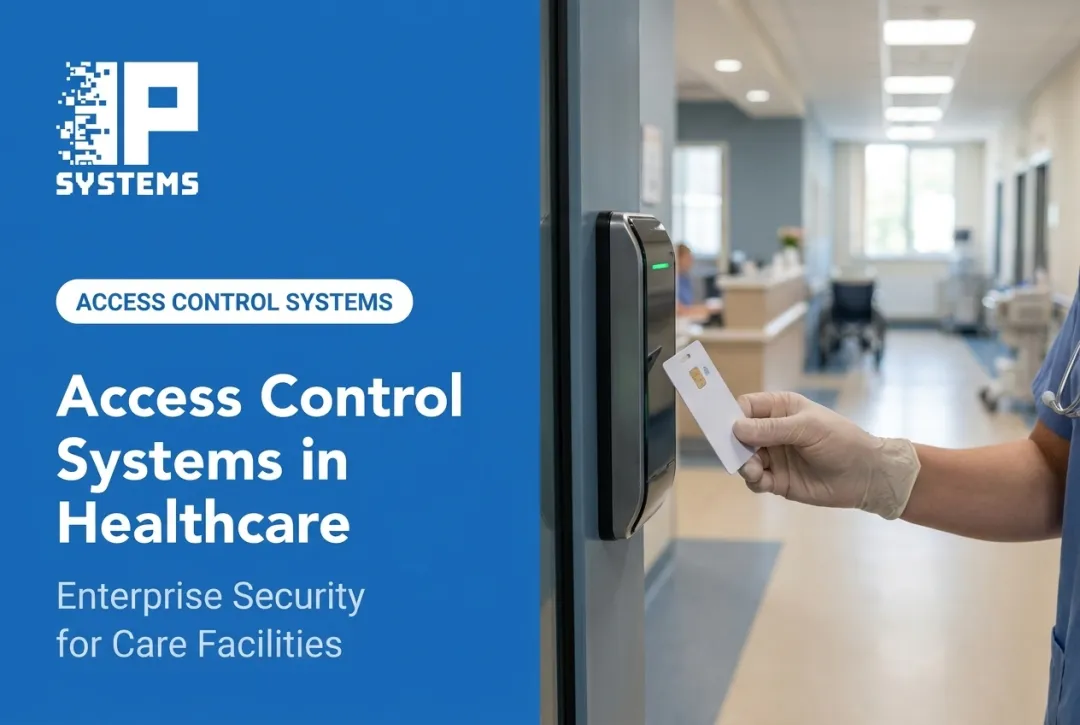
Hospitals have a hard balance to strike. They must stay open to patients, visitors, clinicians, responders, contractors and rotating staff, while still protecting medication rooms, records, network closets and vulnerable patients. A lobby can't work like a bank vault, and a NICU door can't work like a lobby.
This guide covers components, access models, visitor management, security zones, integrations, selection criteria and implementation planning for healthcare facilities building or upgrading an access control program. We have also added the mistakes and trade-offs we see most often on hospital projects.
Key Takeaways
- Hospital access control has to balance traceable entry with patient care, accessibility and emergency response.
- Zone-based permissions and a managed credential lifecycle are the backbone of a program you can defend.
- Judge a system on workflows, integrations and cybersecurity, not just reader hardware or lock brands.
- Settle regulatory and life-safety questions with legal, clinical, compliance and the AHJ before rollout.
- Decide who owns the credential database after go-live. If nobody does, the system decays.
Why Healthcare Facilities Need Specialized Access Control
Hospitals don't run like typical commercial buildings. They operate around the clock, cycle through shifts, host traveling clinicians and temporary staff, and can have hundreds of openings on one campus. Access control designed for an office wasn't built for that.
The Risks Access Control Helps Manage
Recurring concerns in healthcare settings include:
- Unauthorized entry and workplace violence
- Medication and equipment theft
- Patient elopement
- Unauthorized access to protected health information
Healthcare workers face higher violence risk than most industries. The Bureau of Labor Statistics reported 41,960 nonfatal workplace-violence cases requiring days away from work, job restriction or transfer in health care and social assistance during 2021–2022. That was 72.8 percent of all such cases in private industry over the two years.

Access control doesn't remove these risks on its own. It reduces exposure by:
- Restricting entry to sensitive areas identified in facility risk reviews
- Creating a record that connects people, doors and timestamps
- Speeding up investigations when something goes wrong
- Limiting unauthorized movement into clinical and restricted spaces
Compliance Without Overpromising
The HIPAA Security Rule requires facility access controls: policies and procedures that limit physical access to electronic information systems and the facilities that house them, while allowing properly authorized access. The same section covers workstation use and security, device and media controls, and facility security plans. It also calls for maintenance records documenting repairs and changes to security-related physical components such as doors and locks, which is a detail many facilities miss.
Access control is one piece of that. It doesn't guarantee HIPAA compliance, and nobody should sell it that way. Fire and life-safety codes, ADA standards and state rules still apply on top of HIPAA.
Confirm the currently adopted codes with legal, compliance and life-safety authorities before you finalize a design.
Audit Trails Tell the Full Story
A badge swipe alone doesn't prove who walked through a door. Pairing access logs with door status, video and alarm data creates a more complete record. When an incident happens, that connected trail speeds up the investigation and gives you the documentation you need for internal review and compliance follow-up.
The Cost of Disconnected Legacy Systems
Many hospitals still run on fragmented, decades-old access platforms. The symptoms are familiar:
- Inconsistent permissions across buildings acquired through mergers or expansions
- Duplicate credentials issued because old ones were never revoked
- Spreadsheet-based reporting that can't keep up
- Slow offboarding when staff transfer or leave
- Little visibility across multi-site campuses
- Servers on unsupported operating systems, where a failed part may have to come from eBay instead of a next-business-day replacement
Components, Access Models, and Healthcare Security Zones
Core Components and Credential Options
Hospital access control systems combine:
- Credentials and readers
- Electronic locks, door controllers and request-to-exit devices
- Door-position sensors, management software and reporting tools
The Interagency Security Committee, in guidance published by CISA, describes facility access control as covering the full process from entry through screening to the first point of authentication into nonpublic space.
Common credential types include:
- Proximity cards or fobs: familiar, low cost, easy to issue in bulk
- PINs: useful as a backup or second factor
- Mobile credentials: convenient for staff who already carry smartphones
- Biometrics: fingerprint or face recognition for high-sensitivity zones
- Multi-factor combinations: two or more methods at critical doors
Biometrics raise questions to settle before rollout: consent, data retention and accuracy, especially for enrollment in shared clinical spaces. Gloves and masks also affect some readers. Test them in the actual unit before committing.
Some questions go beyond technology. In Mastering Modern Security, IPS's Rob Jackson describes a hospital security committee that evaluated facial recognition to flag known threats, such as a staff member's domestic-violence abuser. The committee asked three things: is it legal, is this what we want to be known for, and does it fit our values? It paused and planned to revisit the idea in a year, once legal precedent was clearer.
If you are keeping existing readers, check how they talk to the controllers. Older Wiegand wiring is one-way and unencrypted; OSDP readers support encrypted, supervised communication. Reusing readers saves money up front, but it can lock in a weaker link for another ten years.
Access Control Models
Access models set how you assign permissions, separate from the credential itself. NIST recognizes several:
| Model | How It Works |
|---|---|
| Role-Based (RBAC) | Access tied to job role rather than individual identity |
| Discretionary (DAC) | The resource owner decides who gets access |
| Mandatory (MAC) | Access based on sensitivity labels and formal clearance |
| Attribute-Based (ABAC) | Access decisions weigh multiple attributes: role, location, time, department |
You'll see "five types" or "four types" online. Classifications vary, and some frameworks fold rule-based access into ABAC. In a hospital, role, department, shift, training status and location matter more than the label.
A Zone-Based Framework for Hospital Security
Not every door needs the same scrutiny. A practical framework groups spaces into tiers:
- Public areas: lobbies, waiting rooms, cafeterias. Simple restrictions and visitor flow management usually work.
- Staff and clinical areas: nursing units, labs, offices. Permissions follow role, shift and department.
- High-sensitivity areas: pharmacies, medication storage, ORs, behavioral health units, data rooms. These often call for stronger credentials, two-person rules or video verification.
- Emergency and life-safety zones: lockdown routes, fire alarm interfaces, egress paths. NFPA 101 permits special locking in healthcare occupancies where patients' clinical needs require it, but staff must be able to readily release the locks at all times, typically by carrying keys, codes or another reliable means.
That last tier is where hospital projects go wrong most often. Before any hardware is ordered, walk every door with a door-hardware survey and confirm with the AHJ which doors can be locked, which must release on fire alarm, and whether each lock should be fail-safe or fail-secure. Fire-rated doors, smoke-compartment doors and doors on magnetic hold-opens each have their own rules. Getting this wrong means rework after the fire marshal's walkthrough.
The Credential Lifecycle
Every credential should move through a documented sequence: request, approval, provisioning, active use, periodic review, suspension, expiration and revocation. Skipping steps, especially revocation after someone leaves, is how "ghost" credentials pile up.

A simple zone-and-user matrix helps. List user types (employees, clinicians, visitors, contractors, vendors, emergency personnel) against permitted zones, schedules, credential types and who approves each request. It is a simple exercise, and it exposes permission gaps fast.
A common problem we see after go-live: security assumes HR owns the credential database, HR assumes security does, and nobody reviews access levels. Name an owner, give them a review calendar, and connect the system to your HR or identity feed if the platform supports it.
Best Practices for Hospital Access Control
Least Privilege and Visitor Management
Give each person the access their role requires and nothing more. When someone transfers or leaves, permissions should change automatically instead of lingering.
Visitor management deserves its own attention in a hospital. Good programs include:
- Pre-registration where possible
- Identity verification at check-in
- Temporary, time-limited credentials
- Escort requirements for restricted destinations
- Check-out tracking for accurate emergency headcounts
- Privacy-conscious records that don't collect more visitor data than needed
Anti-Tailgating and Integrated Systems
Tailgating, where someone follows an authorized badge holder through a door, remains one of the most common access control failures. CISA's July 2025 guidance on physical security for healthcare facilities recommends monitoring credential systems, access control and badges, and installing badge-access checkpoints to prevent tailgating.
Standalone access control has real limits. It works best paired with:
- Video surveillance for visual verification
- Door-position and alarm monitoring for forced or propped doors
- Intercoms at unstaffed entrances
- Fire and life-safety system interfaces
- HR or identity platforms for automated provisioning
- Elevator controls and mass notification systems
This is where an integrator earns its fee. Connecting these systems into one working picture, instead of five separate logins, is often the difference between a tool staff use and one they work around. IPS designs and installs access control with video, intrusion and fire interfaces for healthcare organizations, with the goal of giving security teams one place to work from.
The trade-off to weigh: one platform for access and video is easier to run and train on, while best-of-breed systems from different makers may fit specific needs better but depend on integrations that must be maintained through every software update. Ask how the integration behaves after an upgrade before you pick.
Cyber Resilience and Ongoing Reviews
Access control platforms are network devices and should be treated that way. Baseline practices include:
- Unique administrator accounts and strong authentication
- Encryption and network segmentation (a dedicated VLAN is common)
- Regular patching, with a named owner for firmware, and documented backups
Plan for offline operation too: what does each door do if the network drops? Controllers that store credentials locally can keep making decisions, but confirm that behavior for your hardware.
Recurring maintenance matters as much as the install. Put these on the operating calendar:
- Scheduled access reviews and credential audits
- Incident response exercises
- Routine system testing
- Ongoing staff training
- Policy updates as regulations or workflows change
How to Select and Implement a Hospital Access Control System
Start with a Risk and Workflow Assessment
Before comparing vendors, inventory every opening, classify each zone, and document who needs access and when. Review past incidents, map existing cameras and alarms, and note constraints such as older buildings with few cable pathways.
When an assessment is worth it: if you have merged campuses on different platforms, doors nobody can identify in the software, or a fire marshal finding on door locking, start with an assessment before you ask anyone for pricing.
Buyer's Checklist
Look for a system that covers:
- Scalability across hospitals, clinics, outpatient sites and future acquisitions
- Central administration with delegated permissions and multi-site reporting
- Integration with video, visitor management, HR/identity, fire alarm and elevators
- Audit-log quality, including export options, retention controls and denied-entry alerts
- Cybersecurity practices, covering update processes, data ownership and vendor remote-access policies
- Hardware suitability for infection-control cleaning, accessibility standards and clinical use
Deployment Models: Cloud, On-Premises, and Hybrid
Each model has trade-offs:
| Model | Trade-Off to Consider |
|---|---|
| On-premises | More local control, but needs in-house server, patching and backup capacity |
| Cloud | Simplifies remote-site setup and centralizes management, but depends on connectivity and a subscription |
| Hybrid | Combines both, useful when moving to cloud site by site |
The right choice depends on your IT resources, number of sites, and how much infrastructure your team wants to own versus hand off. Bring IT in at the start. Hospital IT review for new network devices can take weeks, and it should not be the reason a go-live slips.
Phased Implementation
- Discovery and design: assess needs and draft the system architecture
- Stakeholder approval: align clinical, security, IT, HR, legal and facilities leadership. A small committee meeting an hour a week for a couple of months, with one agreed deliverable such as a hospital access control standard, keeps decisions moving
- Pilot area: test in one department before facility-wide rollout
- Integrations: connect video, alarms and other systems
- Credential migration: move existing users onto the new system
- Testing and training: verify every door and prepare staff
- Go-live and post-installation review: launch, then evaluate and expand

A phased rollout costs a little more in coordination, but in an occupied hospital it is almost always the safer choice than a single cutover. Plan work around clinical schedules, expect infection-control requirements for ceiling work in patient areas, and schedule door cutovers so no unit loses its secured entrance overnight. Acceptance testing should cover every door, including its behavior on fire alarm and power loss, before the old system is removed.
IP Systems works with healthcare facilities through this kind of phased approach: assessment, design, installation and integration of access control with video, fire and communication systems. Our clients accept the installation and training before closeout.
After go-live, uptime depends on device-health monitoring, remote troubleshooting and preventive maintenance. IP Systems' Network Operations Center monitors the health of connected security devices, and our support programs include two preventive maintenance visits per contract year.
Questions to Ask Prospective Integrators
Before signing a contract, ask about:
- Healthcare project experience and how they work in occupied patient areas
- Experience migrating legacy credential systems and cardholder data
- How they handle the door-hardware survey and AHJ review
- Division of cybersecurity responsibilities with your IT team
- Documentation and training deliverables at closeout
- Warranty terms, spare parts and long-term support coverage
Conclusion: Build Access Control Around Healthcare Workflows
Good hospital access control is an operational security program built around clinical care. Readers and locks only succeed when the system matches how staff, patients and visitors actually move through the building.
Build that program in deliberate steps:
- Assess risks and define security zones
- Map user roles to least-privilege access
- Choose technology that works with your existing systems
- Plan emergency release and lockdown behavior with the AHJ in advance
- Train staff regularly and maintain the system after install
If you are evaluating a new system or replacing an aging one, IPS can assess your facility, design around your workflows, and install and support the system after go-live. Schedule an access control assessment.
Frequently Asked Questions
What are the 5 steps of access control?
A practical framework is identification, authentication, authorization, access decision and monitoring. Hospitals use these steps to control entry to units, pharmacies and other restricted areas. Terminology varies by source, so treat this as a working model.
What does hospital access control mean?
Hospital access control is the mix of technology, policy and procedure used to regulate and document who can enter buildings, departments, rooms and restricted assets such as pharmacies or data centers.
What is the best visitor management system for hospitals?
It depends on facility size, visitor volume and existing technology. Look for temporary credentials, identity verification, time limits, restricted-zone controls, audit logs and emergency headcount reporting.
What are the five main types of access control models?
Commonly cited models are discretionary, mandatory, role-based, rule-based and attribute-based access control. Groupings vary; some treat rule-based as a subset of attribute-based access control.
What are the four types of access control?
"Four types" may mean access control models (discretionary, mandatory, role-based, attribute-based), authentication factors, or physical control categories. Confirm which framework is meant before applying it.
What are the 5 D's of access control?
Deter, detect, deny, delay and defend. The model describes layered security, and access control supports each layer by restricting entry, logging activity and slowing unauthorized access.