Introduction: Why Commercial Cellular Fire Alarm Communicators Matter
When a fire alarm control panel detects a problem, the signal has to get somewhere. If that path runs over copper lines your carrier is retiring, or over a connection nobody supervises, it is the weakest link in your life-safety system.
A cellular fire alarm communicator sends alarm, supervisory and trouble signals from a commercial fire panel to a monitoring station. Newer models also add a second path, remote diagnostics and notifications for facility staff.
This article covers how these communicators work, why so many commercial buildings are moving off legacy phone lines, what compliance and cybersecurity questions to settle, and how to evaluate a communicator before you buy. We also share the mistakes we see most often on communicator upgrades.
Key Takeaways
- In most cases a cellular communicator replaces the phone-line path without a full panel replacement, but only after compatibility is confirmed.
- Evaluate redundancy, supervision, backup power and panel compatibility together. They are not separate checkboxes.
- Reliability depends on the whole signal path: panel, communicator, antenna, carrier, receiver and the people at the monitoring station.
- Get your fire/security integrator, monitoring provider, IT team and AHJ aligned before you pick a device.
How Commercial Cellular Fire Alarm Communicators Work
The Communicator's Role in the Signal Path
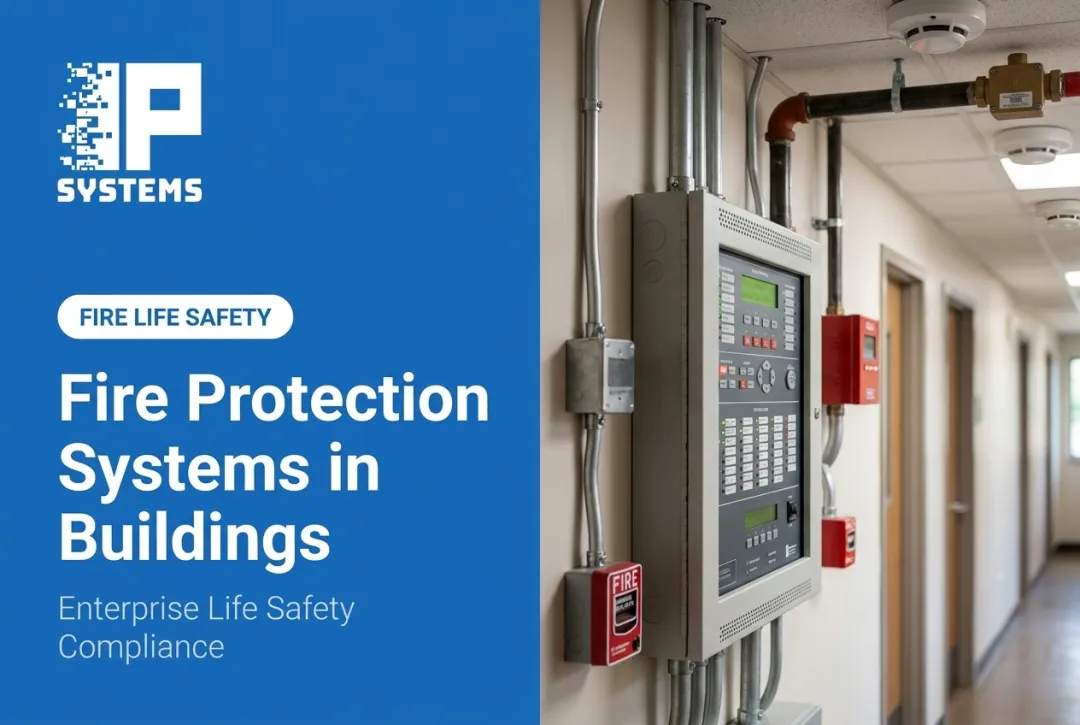
The fire alarm control panel detects conditions and runs the horns and strobes. The communicator has a narrower job: it takes the panel's event data and delivers it to a supervising or central monitoring station.
That distinction matters. A communicator that forwards a generic "alarm" without keeping the difference between a fire alarm, a supervisory condition and a trouble event strips out information the monitoring operator needs.
A properly working communicator also reports on itself. It should flag a communication failure instead of going quiet.
Common Architectures
Facilities usually choose from a few configurations:
- Cellular-only: the simplest setup, and fully dependent on carrier coverage at the panel location
- Cellular-plus-IP dual-path: uses the building network as one route and cellular as the other
- Multi-carrier or dual-SIM: fails over between carriers (commonly AT&T and Verizon) if one network is degraded
The right choice depends on what your AHJ will accept, the monitoring arrangement you already have, and how much risk you can live with if one path drops. Our rule of thumb: if the building has a weak or single-carrier signal at the panel room, don't buy cellular-only and hope a better antenna fixes it. Plan for dual-path from the start.
A simple signal path looks like this:
- The fire panel detects an event and passes the event data to the communicator
- The communicator transmits over cellular, IP, or both
- Receiving equipment at the central station accepts the signal
- Monitoring staff notify responsible parties and dispatch per their procedures

Operational Visibility Beyond the Alarm Signal
Many current communicators add remote status checks, mobile or email alerts, event history and inspection support. If you manage several buildings, one view of communicator health across sites makes oversight easier.
These are convenience features. A dashboard or mobile app does not replace required monitoring and emergency-response procedures. It supplements them.
Legacy Panel Compatibility
Communicators usually connect to existing panels through the panel's phone-line (DACT) interface, relay outputs or a manufacturer-approved data interface. That is what makes an upgrade possible without a full panel swap in many buildings.
Compatibility is never automatic. Verify it for:
- The exact panel model and firmware version
- Signaling format and account configuration
- Enclosure and power supply requirements
- The specific monitoring receiver in use
Write down any limitations before anyone presents a cellular upgrade as the alternative to replacing the system. Skipping this step is how a "quick communicator swap" turns into an unplanned panel replacement and a change order halfway through the job.
Why Commercial Facilities Are Moving to Cellular Communication
The Move Away from POTS
Plain old telephone service is not disappearing overnight, but it is getting harder to keep. Carriers are retiring copper, and federal rules are moving in their favor. In March 2025 the FCC's Wireline Competition Bureau waived several network-change notice filing requirements for two years to speed the transition away from legacy copper networks.
The practical point: don't count on a long runway. Ask your carrier directly whether your fire alarm lines are on a retirement schedule and whether the replacement service supports alarm signaling. Treat the answer as a life-safety project, not a routine telecom swap. In Mastering Modern Security, IPS's Rob Jackson compares aging security gear to an old 3G phone: it still works until the network it depends on moves on. Copper alarm lines are on that same path.
A common problem we see is the forgotten line. A building may have two POTS lines on the fire panel, plus elevator phones, a fax line and an old intrusion panel on copper. Inventory every line before you order anything, or the one you missed will show up as a trouble condition after the carrier cuts it.
Reliability and Resilience Benefits
Cellular gives a building an alternate path when the internal network, landlines or internet service go down. Multi-carrier and dual-SIM designs improve coverage resilience, but they don't remove every risk. Local signal limits, equipment failure, power loss and carrier outages still happen.
Supervision requirements exist because paths fail. NFPA 72 (2025 edition) TIA 25-2 addresses signals that pass through an intermediary service provider on the way to the supervising station. Under it, all communication pathways from the protected premises, through that provider, to the supervising station must be supervised at intervals of no more than 60 minutes. A failure of a pathway between the provider and the supervising station must be annunciated within 90 seconds. Your designer and AHJ will confirm which edition and provisions apply to your building.
Reliability in the field comes down to a few things working together:
- Supervised pathways that report signal loss
- Standby power sized for the required backup duration, including the communicator's own draw
- An antenna location chosen from a signal test at the site, not from the floor plan
- Periodic testing, not only installation-day testing
Multi-Site Operational Benefits
Organizations with several locations benefit from one standard communicator type and one view of account status. Remote diagnostics and event history can cut unnecessary truck rolls and help service teams catch trouble conditions sooner, though results depend on the deployment.

One market example: in June 2026 NAPCO Security Technologies and BuildingReports announced an integration between StarLink Fire Max2 commercial fire communicators and the BuildingReports inspection platform, aimed at dealers serving multi-site and national accounts. It pulls communicator data into inspection reporting over a data path separate from the alarm signal. It is a vendor announcement, not a customer benchmark, but it shows where the market is heading.
Software-Enabled Communications
Software on top of the communicator supports notifications, reporting, inspection prep and coordination between facility staff, service providers and monitoring personnel. None of it replaces the core reporting function. It does make proactive maintenance easier.
Remote access to that software needs proper controls: authentication, permission levels, activity logging and normal cybersecurity hygiene. A convenient dashboard with a shared login creates a new problem instead of solving the old one.
Nuisance Alarms and Response Coordination
NFPA data shows U.S. fire departments respond to more than 2 million false fire alarm calls a year. A communicator can't tell whether a fire is real, but timely, specific event data helps monitoring operators and facility staff separate alarm, supervisory and trouble conditions faster.
Clear escalation procedures, current contact lists and verified dispatch information matter as much as the hardware. In our experience, the call list at the central station is one of the most neglected parts of the system. People change roles, and the station keeps calling someone who left two years ago. Review it at every inspection. If a building keeps producing nuisance alarms, bring the local fire official into the conversation early and fix the cause through inspection, testing and maintenance consistent with NFPA 72.
Compliance, Cybersecurity, and Signal Integrity
Standards, Approvals, and the Full Communication Path
Before you specify a communicator, confirm its listing, including UL 864 (control units and accessories for fire alarm systems) where applicable, and that it is compatible with your fire alarm application. NFPA 72 governs transmission, supervision, testing and documentation, and the AHJ has the final say on what is acceptable for your project.
Codes change. Confirm the NFPA 72 edition your jurisdiction has adopted and any state or local amendments before you finalize a design. A listing that worked on last year's project may not satisfy this year's requirements.
Compliance does not stop at the box next to the panel. It extends to:
- Receiving equipment at the monitoring station
- Any software on top
- Power arrangements at every stage
- How failures are supervised and reported
Before installation, collect listing documents, product data sheets, the monitoring station's compatibility confirmation and whatever the AHJ needs for the submittal. Then ask plainly: what happens if the primary path fails? If nobody can answer that clearly, stop and get an answer.

Cybersecurity and IT Coordination
Cellular-only paths usually stay off the facility LAN, so IT involvement is light. IP-connected communicators normally need a formal review with the IT or cybersecurity team, and that review takes time. Start it early, not the week of cutover.
That review should cover:
- Network segmentation (a dedicated VLAN or firewall zone)
- Firewall rules and the outbound ports the device needs
- Credential management
- The firmware update process and who owns it
- Remote access controls
NIST's Guide to Operational Technology Security (SP 800-82 Rev. 3) recommends keeping an accurate inventory of connected assets, including firmware and software versions, managing configuration changes, and using a layered network topology. These are not fire-alarm-specific rules, but they apply once a communicator touches your network.
The trade-off is simple. Dual-path with IP adds resilience, but it also adds an IT stakeholder, a firewall change and a firmware owner. If your IT team can't support that, a dual-carrier cellular unit may be the better fit.
Testing, Documentation, and Change Management
A commissioning record should include:
- Panel and communicator model numbers
- Account identifiers and carrier configuration
- Signal-strength test results at the installed location
- Backup power specifications and test dates
- Supervision test confirmation
- Monitoring-station acceptance confirmation
- AHJ submittal documentation
Testing should follow the approved design, manufacturer instructions and monitoring-station procedures. Keep in mind that a cellular signal test tells you the signal at that moment. It does not guarantee the signal during a real emergency, which is why supervision and a backup path matter.
Record later changes to carrier plans, panel programming, network settings, firmware or contacts. Any of them can change the approved path without anyone noticing until a test fails.
How to Select and Deploy the Right Communicator
Start With a Site and Risk Assessment
Every facility has a different risk profile. Look at building type, occupancy, critical areas, number of panels, how spread out your sites are and the actual cellular coverage at each panel room before comparing products.
A hospital, a school campus, a manufacturing plant and a remote site all tolerate a delayed signal differently. Decide what a missed signal would cost you, operationally and legally, before you decide how much redundancy to buy.
Verify Compatibility and Required Features
Build a checklist covering:
- Panel manufacturer, model and signaling format
- Supported communication paths (cellular, IP, dual-path)
- Multi-carrier and dual-SIM behavior
- Supervised inputs and enclosure requirements
- Antenna options and backup power capacity
- Monitoring-receiver compatibility
Test under normal conditions and with a simulated path failure before you call the job done. Confirm the exact configuration you are installing is listed and approved for your application. Not every cellular device sold for security use is appropriate for fire alarm signaling.
A decision point we raise often: if the panel is near the end of its supported life, price a panel replacement alongside the communicator. Putting a new communicator on a panel you will replace in two years is sometimes the right call, but make it on purpose.
Compare Lifecycle and Operational Costs
Total cost of ownership includes more than the communicator:
- Equipment, enclosure and antenna accessories
- Installation labor
- Monitoring-station setup and account fees
- Cellular service plans (single or dual-carrier)
- Ongoing inspection and testing
- Replacement batteries and software subscriptions
- Planned replacement: a cellular communicator typically lasts 7 to 10 years, and radio technology keeps changing, so budget for the next one
Standardizing across a portfolio simplifies management, but one model may not suit every site's coverage or code requirements. Get current pricing from your installer and monitoring provider, since equipment and service plan costs change.
Plan Installation and Stakeholder Coordination
A clean deployment needs coordination between the fire alarm contractor, the communicator installer, the monitoring station, the facility manager, IT and the AHJ. Before installation day, plan for:
- Antenna location and signal testing
- Power calculations and panel programming
- Account registration and dispatch verification
- End-to-end testing before sign-off
In an occupied building, the fire system may be offline for part of the cutover. Agree with the AHJ and your insurer ahead of time on whether a fire watch is needed and who provides it.
For multi-site upgrades, a phased rollout usually works better than one big push. Start with the sites still running unsupported or unreliable phone-line paths.

Where an Integrator Adds Value
Communicator upgrades carry less risk when assessment, design and cutover are handled by one accountable team. IP Systems is a full-service security systems integrator that works with medium and large organizations and public agencies on:
- System assessment
- System design and installation
- Ongoing support and maintenance
Fire communication rarely sits alone. We look at the upgrade alongside existing access control, video and communication systems so it fits the rest of the building.
One point to be clear about: IPS does not provide alarm monitoring. You contract a monitoring service (central station) directly, and we coordinate with them during design, programming and testing. Our terms also recommend a backup communication method to the monitoring center regardless of the telephone service you use, and we agree with that in practice.
If you are planning a fire communication upgrade or standardizing across several sites, schedule a security assessment with IP Systems.
Professional Support for Commercial Fire Communications
The Value of Support After Installation
A correctly installed communicator can still fail later if carrier conditions change, network settings get edited, batteries age or contact lists go stale. Ongoing support keeps the system matched to what was approved. It typically covers:
- Account administration and contact updates
- Scheduled testing coordination, including an annual test of every alarm point and its communication to the monitoring center
- Battery voltage and health tests, since backup batteries wear out
- Troubleshooting for remote and onsite issues
- Documentation updates after service work
IP Systems support programs include two preventive maintenance visits per contract year, priority response for remote and onsite support, and a documented history from the first sales visit through installation and resolved service tickets.
Device-Health Monitoring and Managed Services
Device-health monitoring, dashboards and trouble notifications can flag a communication problem before it matters in a real emergency. IP Systems' Network Operations Center monitors the health of connected security devices and sends notifications when something looks wrong. When we find an issue, we troubleshoot and resolve it under the existing maintenance contract.
This is equipment-health monitoring. It is not alarm monitoring, and it does not replace your central station, which receives the fire signals and handles dispatch.
Predictive maintenance puts service where device condition says it is needed, not only on a fixed calendar. It is an optional layer for organizations that would rather not track communicator health and documentation entirely in-house.
Questions to Ask Before You Sign
Whoever you hire, ask:
- Have you confirmed this communicator with my exact panel model and my monitoring station's receiver?
- Where will the antenna go, and what did the signal test show?
- What happens, step by step, if the primary path fails?
- Who updates the central station call list, and how often?
- Who owns firmware updates on the communicator after go-live?
A Practical Decision Framework
Before replacing or standardizing your fire communication equipment:
- Inventory existing panels and every phone line at each site
- Assess site risks, carrier coverage and pathway gaps
- Confirm code and listing requirements with your AHJ
- Compare architecture options against uptime needs and risk tolerance
- Coordinate AHJ, monitoring, IT and facilities before installation day
- Test end to end, including simulated pathway failures
- Set an ongoing support, inspection and testing plan
A cellular communicator works best as part of a complete life-safety communication plan. Talk to a qualified commercial fire and security integrator before replacing legacy equipment or standardizing across sites. If you want a second opinion on your current setup, talk to a security specialist at IPS.
Frequently Asked Questions
Do I need to replace my entire fire alarm panel to add a cellular communicator?
Usually not. Many communicators connect to existing panels through the phone-line interface or a manufacturer-approved data connection, but compatibility has to be confirmed for your exact panel model first.
What's the difference between cellular-only and dual-path communication?
Cellular-only relies on one network path. Dual-path adds IP or a second carrier as a backup, which gives you more resilience if one connection fails.
How often does a communicator need to be tested?
Test intervals come from the adopted edition of NFPA 72, your AHJ and monitoring-station procedures. Communication paths themselves are supervised automatically; for example, NFPA 72 TIA 25-2 sets a 60-minute maximum supervision interval for paths that pass through an intermediary service provider.
Can dual-SIM or multi-carrier communicators eliminate outage risk entirely?
No. They improve coverage resilience but don't remove local signal limits, equipment failure, power loss or carrier outages.
Who should be involved in selecting a new communicator?
Your fire and security integrator, monitoring provider, facility IT team and the authority having jurisdiction should all weigh in before you finalize a selection.