Introduction
Networks do not take nights off, and neither do the cameras, door controllers and servers connected to them. Most internal IT and security teams work business hours, which leaves a gap exactly when a lot of failures go unnoticed.
That gap can get expensive. ITIC's 2024 Hourly Cost of Downtime survey of more than 1,000 firms worldwide found that a single hour of downtime costs over $300,000 for more than 90% of mid-size and large enterprises (ITIC).
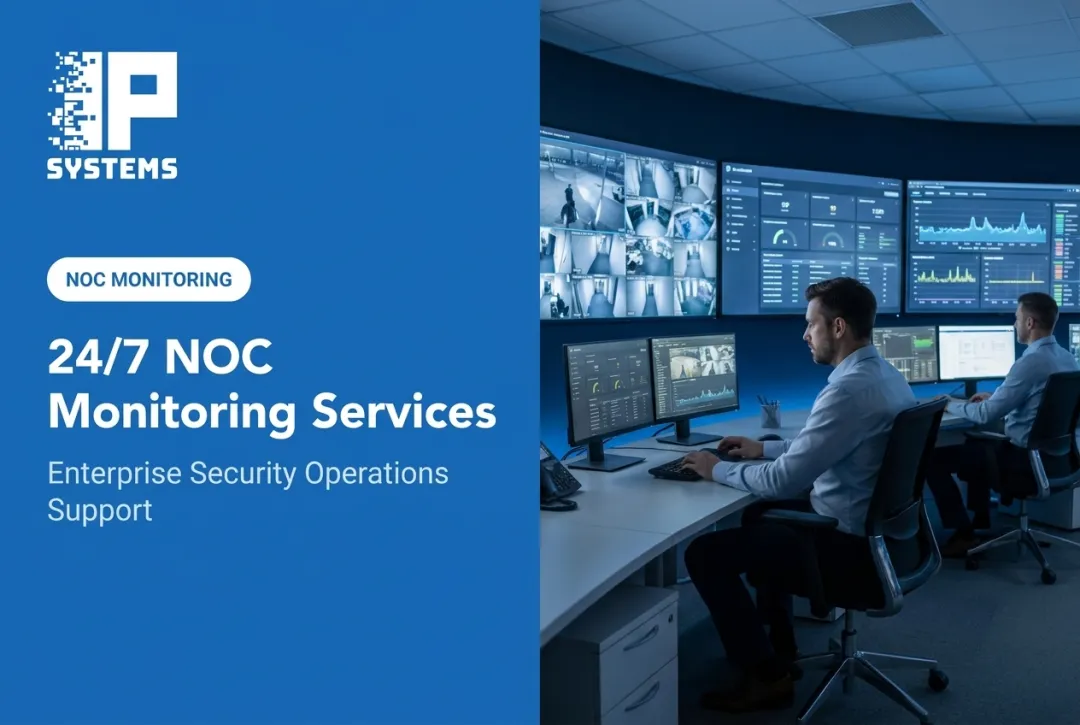
A computer NOC, short for Network Operations Center, exists to close that gap. It is a centralized team and tool set that watches networked infrastructure, catching problems before they turn into outages.
This article covers what a NOC does, how it works day to day, the technology behind it, how it differs from a SOC or help desk, and what we have learned applying the NOC model to physical security devices.
Key Takeaways
- A NOC centralizes continuous monitoring, maintenance, incident response and performance management for connected systems.
- Coverage can extend beyond routers and servers to cameras, access control panels, recording servers and cloud services.
- Proactive monitoring catches problems early, improves uptime and takes pressure off internal IT or facilities staff.
- You can run a NOC in-house, outsource it, or combine the two.
- A device-health NOC is not an alarm monitoring center or a SOC. Know which one you are buying.
What Is a Network Operations Center?
A Network Operations Center is a centralized function made up of people, monitoring software, communication tools, written procedures and escalation paths, all working to keep networked infrastructure running.
IBM describes a NOC as a centralized location where computer, telecommunications or satellite network systems are monitored and managed 24x7, and calls it the first line of defense against network disruptions and failures (IBM).
That "location" does not have to be a room full of screens, though some NOCs still look that way. Many operate remotely, through a managed service provider, or across several sites feeding one team.
What a NOC Typically Oversees
NOCs commonly watch:
- Network devices such as routers, switches and firewalls
- Servers, databases and cloud environments
- Internet connectivity and bandwidth
- Endpoints across the organization
- Connected physical security equipment: cameras, recording servers and access control panels
That last category matters more than people expect. IPS runs its NOC specifically for security devices, using dashboards and health checks to catch an offline camera or a server problem the same way a traditional NOC catches a downed switch.
For organizations with multiple sites or regulated operations, blind spots are the real risk. In our experience, the camera that failed three weeks ago usually gets discovered the day someone needs its footage. Device-health monitoring exists to make that discovery happen on day one instead.
Clearing Up the Acronym Confusion
"NOC" also shows up in a completely different context. A network-on-chip (NoC) is a semiconductor design term for a packet-based communication architecture built into a chip. It has nothing to do with network operations. This article covers the operational, infrastructure-monitoring kind.
How Does a NOC Work?
A NOC follows a consistent lifecycle, whatever it monitors:
- Collect data. Monitoring platforms pull logs, status checks and performance metrics from connected devices.
- Detect an alert. A threshold is crossed, or a device stops responding.
- Validate the issue. Technicians confirm whether it is a real problem or noise.
- Prioritize. A failed camera on an empty loading dock is not the same as a hospital's access control server going dark.
- Take corrective action. Technicians try remote fixes first.
- Escalate when needed. Unresolved issues go to senior engineers, field technicians or the manufacturer.
- Document the outcome. Every incident is logged for next time.
Tiered Support in Practice
Most NOCs run tiered support:
- Tier 1 reviews incoming alerts and handles routine fixes
- Tier 2 takes on more advanced troubleshooting
- Tier 3 brings in engineering or vendor coordination for complex failures
This keeps simple problems away from senior staff and routes hard ones to the right people.
Proactive Work Happens Too
Not everything is reactive. NOCs also handle:
- Scheduled maintenance windows
- Firmware and software updates
- Backup verification
- Capacity planning, such as recorder storage
- Configuration reviews
- Recurring-issue analysis, to find patterns rather than chase one-off symptoms
On the security side, firmware is where we see the most neglect. Cameras and controllers go years without updates because nobody owns the task, and each skipped version makes the eventual update riskier. A NOC with a maintenance contract behind it gives that task an owner. The 2017 Equifax breach is the standing lesson on patching: attackers exploited an unpatched Apache Struts web flaw that had had a fix available for about two months. It wasn't a camera, but the same thing happens to any networked device nobody updates.
A Real-World Example
Picture a networked door controller at a distribution center that goes offline. The monitoring platform raises an alert, a technician tests connectivity remotely and tries a reset. If that fails, the technician schedules a field visit and logs everything, so the next similar failure is diagnosed faster.

Catching failures early matters because outages are rarely cheap. Uptime Institute's 2024 resiliency survey summary reports that in its 2023 data center survey, 54% of respondents said their most recent significant outage cost more than $100,000, and 16% said it cost more than $1 million (Uptime Institute). Those figures are for data center outages, but the principle carries over: a failure you find in minutes costs less than one you find in days.
IPS builds its NOC monitoring around this idea. Remote probes are installed on servers to monitor the security network, and an IPS application on the video server performs health monitoring and cybersecurity controls. Data goes outbound over TLS to IPS's secure AWS server and feeds the dashboards our team watches. Every camera, card access panel and server component is checked every 60 seconds. Some cameras can be restarted automatically to try to recover them, and a fault such as a failed hard drive opens a service ticket on its own. The system also logs how long each device was offline and builds performance history reports.
Once an issue is identified, IPS troubleshoots and resolves it through the client's existing system maintenance contract.
What Does a NOC Do?
A NOC's daily work falls into a few core categories, and for connected security systems the same model extends to cameras, recorders and access control.
Monitoring
Availability, connectivity, latency, bandwidth, device status and health checks run continuously, not on a schedule. The goal is to know a device is struggling before an employee calls about it.
Incident Detection and Response
When something breaks, the NOC follows a clear path:
- Triages the alert and confirms severity
- Troubleshoots remotely, including configuration fixes
- Escalates to the right team when remote fixes fall short
- Manages the ticket from open to close
- Documents what happened
Maintenance and Optimization
Preventive work that stops most emergencies before they start:
- Coordinating patches and updates
- Managing configurations
- Planning capacity as systems grow
- Monitoring backups
- Spotting recurring failure patterns before they become chronic
Business Continuity Support
A mature NOC also supports redundancy planning, failover procedures, disaster recovery and keeping stakeholders informed during an outage. None of this replaces a disaster recovery plan, but the NOC is often the first team to notice something is wrong.
Connecting NOC Work to Physical Security
For organizations running connected security technology, NOC monitoring extends naturally to that hardware. Offline cameras, access control panels that stop talking to the server, and recorders with failing drives all show up as device-health problems.
IPS's NOC support is built around that overlap: device-health monitoring, troubleshooting, predictive maintenance, dashboards, constant health checks and cybersecurity controls for connected video and other security devices.
Two distinctions worth making clear. First, device-health cybersecurity controls are not the same as cyber-threat monitoring by a security operations center. A NOC keeps devices online; a SOC investigates whether someone is trying to breach them. Second, a device-health NOC does not watch live video or respond to alarms. Alarm monitoring and dispatch are handled by a central station, which IPS customers contract separately.
A practical note for IT teams: security devices belong on their own VLAN, with defined firewall rules for any outbound monitoring connection. In our experience, getting that agreed with IT before the install saves weeks. Keep IT involved afterward too: a new firewall rule or threat-detection change can quietly cut the security system off from its server, and health monitoring is often how anyone finds out.
NOC Technology and Infrastructure
A NOC runs on more than a wall of monitors. Behind it sits a stack of tools:
- Monitoring and dashboards that show device status in real time
- Alerting that notifies technicians when a threshold is crossed
- Ticketing that tracks issues from detection to resolution
- Remote-access tools that let technicians fix problems without a truck roll
- Log management and reporting for audits and pattern analysis
Data Sources Behind the Alerts
Monitoring platforms typically pull from several feeds:
- Device health signals and event logs
- SNMP data and NetFlow exports
- API integrations and vendor-specific telemetry
The architecture for SNMP management frameworks is described in RFC 3411. The IETF's Network Telemetry Framework, RFC 9232, describes push and streaming approaches in which collectors subscribe to data pushed from devices instead of relying only on polling.
Automation and AI, With Limits
Automation and AI-assisted anomaly detection help NOCs cut through alert noise by learning normal behavior and flagging deviations. How well a model works depends on the data it learned from, so human validation still matters. Automation flags the anomaly; a technician confirms it is real before acting.

The failure mode we see most is not missed alerts but too many of them. If every camera reboot pages someone, people stop reading the pages. Tune thresholds during the first weeks, and review which alerts led to action.
Resilience and Access Controls
NOC infrastructure needs its own protection:
- Redundant connectivity paths and backup power
- Failover for critical services
- Segmented networks that isolate monitoring traffic
- Secure remote access
- Documented disaster recovery processes
Because these platforms touch sensitive infrastructure, access controls are standard:
- Role-based permissions
- Multifactor authentication
- Encrypted connections
- Audit logs
- Least-privilege practices
IPS applies the same logic to its own monitoring, sending probe data outbound over TLS to its secure AWS server.
Benefits of a NOC and Choosing a Service Model
The case for a NOC comes down to a few practical gains:
- Better visibility across devices and systems
- Faster response when issues surface
- More consistent maintenance
- Better uptime
- Lower operational risk
- Less pressure on internal staff who would otherwise field alerts at 2 a.m.
How you get those gains depends on the service model.
In-House, Outsourced, or Hybrid?
| Model | Best For | Trade-off |
|---|---|---|
| In-house | Organizations that want full control over staffing and tools | Takes significant internal resources to build and run |
| Outsourced | Teams without budget or staff for round-the-clock coverage | Less direct control, standardized processes |
| Hybrid | Organizations that want internal oversight with outside coverage for gaps | Needs a clear division of responsibility |
Outsourcing can cut the staffing load without giving up meaningful control, as long as the contract defines scope, coverage hours and response expectations. Hybrid works when you want internal oversight of core systems and outside help for nights, weekends or secondary sites. Neither is universally better. It depends on IT headcount, budget and how critical uptime is.
A pattern we see often: the corporate IT NOC already monitors switches and servers but treats cameras and door controllers as someone else's problem. If that describes you, the fastest win is usually adding security devices to a specialist's monitoring rather than building a second in-house NOC. The alternative is often a technician logging in each morning to look at every camera image by hand. In Mastering Modern Security, IPS's Rob Jackson notes that manual daily checks like that can take an organization one to four hours a day, and they still miss anything that fails after the check.
Who Benefits Most
- Multi-site commercial and industrial facilities
- Healthcare networks with strict uptime and access requirements
- K-12 districts and college campuses with many buildings
- Government agencies and municipal facilities
- Manufacturing plants protecting equipment and production areas
- Banks and credit unions with compliance documentation needs
- Data and technology organizations
A Buyer's Checklist
Before signing with any NOC provider, confirm:
- Monitoring scope: which devices and systems are covered
- Coverage hours and response commitments in writing
- Escalation procedures, including who dispatches a field technician
- Reporting frequency and format
- Compatibility with your existing systems
- Cybersecurity controls protecting the monitoring platform itself
- Who owns firmware updates and ongoing maintenance
- How pricing changes as you add locations or devices
IPS's NOC-supported services fit organizations that want device-health monitoring and predictive maintenance across their video and access control systems, backed by a maintenance contract. Pricing is based on the number of devices and the services included. If you want to see what that looks like for your sites, Talk to a Security Specialist.
NOC vs. SOC vs. Help Desk
These three functions get confused constantly, partly because they often sit under the same provider. Their missions differ.
| Function | Primary Focus | Typical First Move |
|---|---|---|
| NOC | Network availability and performance | Confirms the outage, tries a remote fix |
| SOC | Cybersecurity threat detection and response | Investigates whether an attack is underway |
| Help Desk | End-user assistance and service requests | Walks the user through the issue |
Put simply: the NOC keeps the network up, the SOC keeps it secure, and the help desk supports the people using both.
In practice, these teams work together. A user reports slow internet. The help desk cannot fix it, so the ticket goes to the NOC. The NOC finds unusual traffic while troubleshooting and brings in the SOC to rule out an incident. One ticket, three teams.

Different Issues, Different Starting Points
- A failed switch starts with the NOC.
- A suspicious login attempt starts with the SOC.
- A forgotten password starts with the help desk.
Responsibilities overlap differently from provider to provider, so confirm scope, escalation paths and service commitments in writing rather than assuming coverage.
Frequently Asked Questions
What does NOC stand for?
NOC stands for Network Operations Center. It is a centralized team and tool set that monitors, manages and maintains network and infrastructure systems.
How is a NOC different from a network-on-chip?
A network-on-chip (NoC) is a semiconductor design term for on-chip communication architecture. A Network Operations Center is an operational team monitoring live infrastructure. They share an acronym and nothing else.
Is a NOC the same as a SOC?
No. A NOC focuses on uptime and performance, while a SOC investigates and responds to cybersecurity threats. They often work together but serve different purposes.
Do small organizations need a NOC?
It depends on how critical uptime is. A single-location store may not need one, but a multi-site healthcare network or school district running connected security systems usually benefits.
Does a security device NOC monitor alarms or live video?
Not necessarily. IPS's NOC monitors the health of security devices. Alarm monitoring and dispatch come from a central station that the customer contracts separately.
What determines NOC monitoring pricing?
Pricing usually depends on the number of devices monitored and the services included, and it is often part of a managed service or maintenance agreement rather than billed separately.