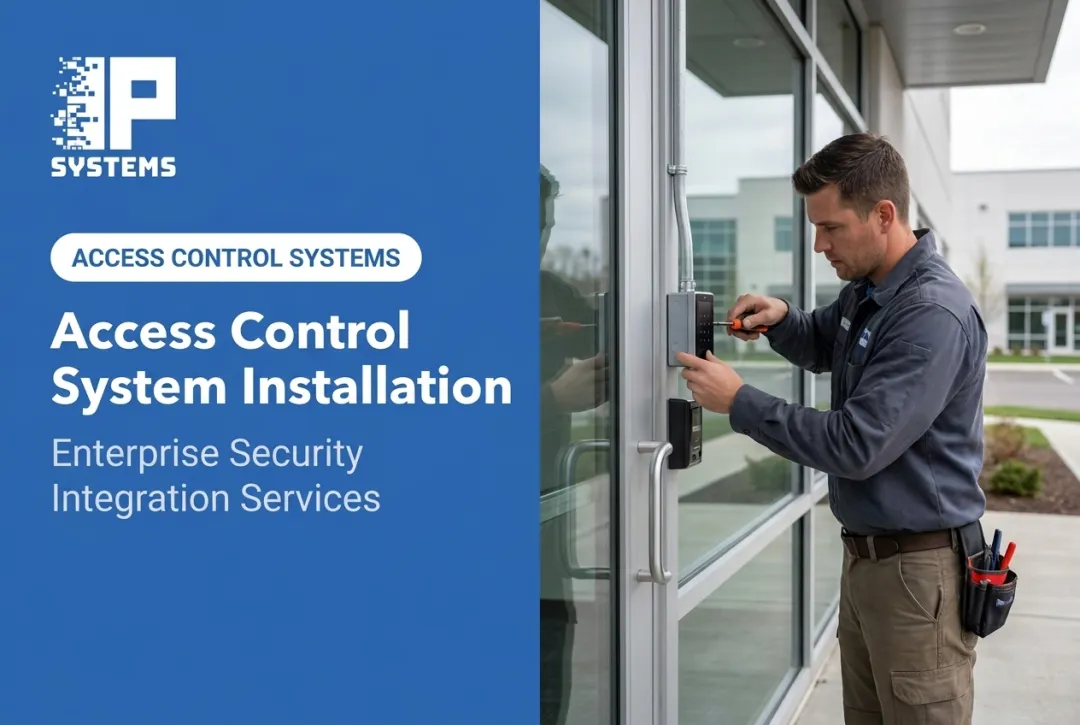
That's why installation belongs with trained access control technicians or a qualified security integrator. In-house facilities and IT teams can help with planning, credential administration and vendor coordination. Electrical work, lock selection and anything that touches egress need experienced, properly licensed people.
Get it wrong and it shows quickly: credentials that won't read, doors that don't secure, missing audit records and expensive rework. Some failures become safety or code problems. This guide covers planning, components, installation sequence, testing, troubleshooting, documentation, ongoing support and the questions to ask an installer before you sign.
Key Takeaways
- Do a site survey and door-by-door assessment before any hardware is ordered.
- Design readers, controllers, locks, credentials, power, network and software as one system.
- Treat egress, fire and life-safety code, accessibility and cybersecurity as design requirements, not add-ons.
- Test every door, credential type and failure scenario before go-live.
- Make documentation, admin training and a maintenance plan part of the installation scope.
Commercial Access Control System Installation Guide
Think of a commercial installation as five connected phases: assessment and design, prerequisites and safety review, hardware installation, software and integration, and testing and handover. Skip one and the problem usually shows up later, at a bad time.
Complexity depends on:
- Number of controlled doors and building type
- Retrofit versus new construction
- Existing network and power
- Integrations (video, intercom, fire, elevators)
- One site or many
Design around who actually uses the building. Employees, contractors, visitors, tenants, students, patients and residents move through a building differently, and their needs shape everything from credential type to door hardware.
At IPS, every project starts with a risk and needs assessment, so the design reflects the building's risks, operations and code requirements before any equipment is ordered.
Prerequisites and Safety Considerations
Before work starts, document the details that drive every later decision:
- Door and frame types, swing and existing lock hardware
- Occupancy patterns and restricted areas
- Fire-rated openings and designated exits
- Available power and network paths at each opening, including the nearest IDF and switch port
- Existing security systems to integrate or replace
Compatibility checks matter as much as the survey. Readers, controllers, credentials, electrified locks, request-to-exit devices, door contacts, power supplies and network gear all have to work together. Check manufacturer documentation rather than assuming.
Some conditions are non-negotiable. Egress rule: under NFPA 101, locks and latches generally can't require a key, tool or special knowledge or effort to open from the egress side, and release is generally limited to one operation.
NFPA 101 also recognizes special arrangements, including sensor-release electrical locking systems and delayed-egress systems that hold the door for 15 or 30 seconds, according to NFPA's guidance on permissible egress door locking arrangements. Each comes with its own conditions, and the AHJ decides whether they are allowed in your occupancy.
Accessibility matters too. Under the 2010 ADA Standards for Accessible Design, operable parts within an unobstructed side reach must sit between 15 and 48 inches above the floor, need no more than 5 pounds of force, and can't require tight grasping, pinching or twisting of the wrist. Door hardware must be mounted 34 to 48 inches above the finished floor.
Coordinate with the fire alarm, elevator and gate contractors wherever their systems meet access control. Inside your own organization, bring IT (network, Active Directory, passwords), HR (who is authorized, and how badges are removed at termination) and facilities (power, cabling, upkeep) into the planning early, so none of them discovers the project at go-live. Get the door schedule, wiring plan, access groups and emergency behavior written down and approved before installation starts.

Tools and Parts Required
A typical commercial installation needs:
- Card or mobile credential readers
- Controllers or panels
- Electrified locking hardware matched to door type and fire rating
- Credentials (cards, fobs, mobile)
- Request-to-exit (REX) devices
- Door position switches
Plan for power supplies (with battery backup where required), network connectivity, and labeled enclosures and cable at every opening. If devices use PoE, check the switch's power budget.
Site-specific additions can include video intercoms, cameras, visitor management software, elevator or gate interfaces, biometric readers, wireless locks or health-monitoring software.
IPS has technology alliances with manufacturers including HID and LenelS2. We are an integrator and reseller, not a manufacturer, so we select and configure hardware to fit the design rather than pushing one product line.
Configuration tools and test equipment are often manufacturer-specific. Confirm any substitution against the design before it's installed, not after.
How to Install a Commercial Access Control System Step-by-Step
Commercial access control follows a controlled commissioning process. Skipping site checks or testing to hit a date creates failures that cost more to fix than they would have cost to prevent.
1. Site Survey and Door Schedule
Document every controlled opening. At minimum capture:
- User group and credential type
- Lock type and panel location
- Cable route, power source and network connection
- Emergency behavior (fail-safe or fail-secure) and any integration
This becomes the master reference for the project. The most common mistake we see here is skipping the door-hardware survey. Frames that won't take a strike, worn hinges and non-standard exit devices are much cheaper to find now than during installation.
2. Prepare the Site and Infrastructure
Coordinate access to occupied areas, protect finished surfaces, and confirm power and network are ready at each opening. Set safe work zones and plan work windows that limit disruption to employees, tenants, patients or the public.
IPS performs work during normal business hours, Monday through Friday, 8 a.m. to 5 p.m., unless the project scope says otherwise. After-hours or shutdown-window work can be arranged for sites that can't tolerate daytime disruption, and may carry additional charges.
3. Install and Secure the Hardware
Mount readers, install compatible electrified locks, and put controllers in secure, serviceable locations. Add door contacts and REX devices, then label every connection. Future troubleshooting depends on this more than most teams expect.
4. Configure the Access Control Platform
Set up the software before any credential goes live:
- Site and door naming, user roles and credential enrollment
- Access groups, schedules and holiday rules
- Alerts, lockdown procedures and audit settings
- Administrator permissions and role limits
Plan for who does this work. Adding readers and controllers to your network and Active Directory is its own role, and on many projects nobody is assigned to it until the week of cutover.
5. Integrate Connected Systems
Connect video, intercoms, fire or alarm systems, gates, elevators or HR/identity systems only after compatibility and ownership are confirmed. IPS designs these connections as part of a broader security technology package that can include access control, video, fire systems and cloud-based services.
6. Test and Commission the System
Test each opening for lock, release, forced-door and held-open behavior. Confirm schedules, alerts, lockdowns and integrations under real conditions, and fix failures before go-live.
7. Train Administrators and Complete Handover
Hand over the operating package:
- As-built drawings plus door and device lists
- Configuration records and credential procedures
- Maintenance instructions and escalation contacts
Administrators should leave this stage able to add, change and remove users without calling the installer. Name the person who owns the credential database from day one. A system with no owner drifts within months.

Post-Installation Checks and Validation
Before the system goes live broadly, validate it physically and functionally.
Visual and structural checks:
- Readers and locks are mounted securely
- Doors close and latch every time
- Cable is protected, routed and labeled
- Controllers are in secured locations
- Nothing blocks accessibility or emergency egress
Functional testing:
- Valid and invalid credentials at every door
- Time-based and area-based permissions
- Door-held-open and forced-door alerts
- Request-to-exit behavior and access logs
- Remote administration functions
- Power loss and network loss scenarios
Integrated systems need joint testing. Confirm that an access event triggers the expected video clip, intercom response, alarm state or elevator/gate action, not just that access control works alone.
A successful installation shows:
- Reliable release and relock behavior
- Accurate event records and correct permissions
- Expected emergency behavior and stable connectivity
Document test results, exceptions and corrective actions, then get formal client acceptance before issuing credentials broadly or retiring the old key system.
Common Installation Problems and Fixes
Troubleshooting starts with safe observation and system diagnostics. Electrical, lock, fire, elevator or gate repairs belong with qualified technicians, not whoever is closest to the panel.
Reader Doesn't Recognize a Credential
A valid card, fob or mobile credential is denied or not read at all.
Likely causes:
- Incorrect enrollment
- Wrong credential technology or card format
- Reader-controller mismatch
- Damaged credential
- Configuration error
- Network or power interruption
Fix: Check credential status and permissions, event logs and device health, and confirm the credential matches the approved technology. Escalate anything that looks like a wiring fault.
Door Remains Locked or Fails to Secure
The reader seems fine, but the door won't release, relock or latch.
Likely causes:
- Incompatible lock hardware
- Misaligned door or frame
- Interrupted power
- Wrong relay or fail-safe/fail-secure setting
- Bad door closer
Fix: Inspect the door's mechanical operation, confirm the approved lock and power design, and review controller output logs. Hardware and electrical corrections belong with a qualified technician.
Access Events or Alerts Are Missing
The system doesn't record events correctly, or administrators aren't getting expected alerts.
Likely causes:
- Network problems
- Wrong time or schedule settings
- Disabled notifications
- Integration failures
Fix: Check device connectivity, platform status, time sync and alert rules. Recurring issues are a good case for device-health monitoring rather than repeated manual checks. The IPS Network Operations Center, for example, runs constant health checks on the security devices we support and provides real-time risk detection with nearly immediate notifications.
Intermittent Operation Across Multiple Doors
Several readers or controllers act inconsistently, often after an expansion or network change.
Likely causes:
- Shared power or exhausted PoE budget
- Inadequate infrastructure
- Firmware incompatibility
- System grown past its original design
Fix: Work out whether the failure is isolated or systemic, review device-health data and recent changes, and have the integrator check power, network capacity, firmware and architecture.
In all of these cases, network-connected controllers and servers should sit on segmented networks, separated physically or logically from general business traffic, so a compromised device can be isolated, as CISA recommends for network infrastructure security.

Pro Tips for Installing Commercial Access Control Systems Effectively
Plan by risk, not door count. Start with exterior entrances, restricted rooms, server and data rooms, clinical spaces, cash-handling areas and loading docks, where unauthorized entry has real consequences.
Build access groups around job function. Use individual credentials, time-based permissions, documented approval for contractors, and prompt removal of access when roles change. It also saves re-keying every time someone leaves.
Choose OSDP for new readers. OSDP supervises the reader connection and supports encrypted communication. Wiegand is simpler and still common, but it's unsupervised and unencrypted. If you're keeping Wiegand readers for now, plan the migration.
Design for growth. Leave spare capacity in controllers, network, power and documentation for more doors, sites and integrations. Decide the ceiling deliberately rather than finding it during an expansion.
Pick phased rollout or single cutover on purpose. Phasing lets you prove the design on a few doors and keep keys working while you fix issues. A single cutover is quicker but leaves no margin. In occupied buildings, we usually recommend phasing.
Coordinate sequencing across teams. Construction, IT, facilities, fire and life safety, and elevator or gate contractors all touch the project. Test everything before go-live and keep a controlled plan for moving off keys or the old system.
Treat documentation as a deliverable. Labeled equipment, updated door schedules, configuration backups, admin training and service contacts should all exist before the installer leaves. If you run several sites, turn what you learn into a reusable Division 28 (Electronic Safety and Security) spec that names approved manufacturers, reader types and card encryption, so the next building doesn't start from zero.
Know when to bring in a specialist. Multi-door or multi-site work, regulated sites, occupied buildings, complex retrofits and life-safety interfaces call for an experienced integrator, not a general contractor learning on the job. In Mastering Modern Security, IPS's Rob Jackson notes that on large jobs the integrator often supplies "the parts and the smarts" while the electrical contractor supplies labor. Applying a security system, as he puts it, takes a village.
IPS support programs include two preventive maintenance visits per contract year and access to a documented history from the first sales visit through installation and every resolved support issue. For ongoing visibility, NOC device-health monitoring and predictive maintenance catch problems like failing power supplies, degraded network links and offline readers before they turn into a locked door at 7 a.m. on a Monday.
Questions to Ask Any Installer
- Will you survey the door hardware on every opening before pricing?
- Who confirms fail-safe and fail-secure behavior with the AHJ?
- What do we get at closeout: as-builts, door schedule, panel maps, admin passwords?
- What is the warranty on workmanship, and what does the manufacturer cover?
- What is the plan for firmware updates and patching after go-live?
Conclusion
Commercial access control affects security, operations, audit accuracy, user experience and life safety. Getting a door to open is only the start. Done right, the process is consistent:
- Assess every opening
- Select compatible components
- Install and configure them methodically
- Test normal and failure scenarios
- Document the system
- Train the people who run it every day
For complex or regulated projects, that's a job for a qualified integrator. Before signing an installation plan, confirm what maintenance and support look like after the installer leaves. If you want help scoping a project, schedule an access control assessment with IPS.
Frequently Asked Questions
How much does it cost to install a card reader on a door?
Cost depends on reader and credential type, lock hardware, controller capacity, door condition, cable, power, network, software and labor. Pricing that reflects your building comes after a site survey and scope review.
How does a card reader work on a door?
The reader captures the credential and sends it to a controller. The controller checks permissions and schedules, then the lock releases or stays secured, and the system records the event.
How do I keep someone from using a stolen or shared card to open a door?
Deactivate the credential immediately, review access logs, and avoid shared credentials to begin with. Anti-passback rules or a second authentication factor add another layer. Have a clear incident process ready.
How far can a card reader be from a door?
The reader sits at or near the controlled opening. The controller can be elsewhere, depending on cable distance, communication protocol, power and manufacturer specs. Follow the manufacturer's documented limits for your hardware.